Tuesday, May 11, 2010

GPS Fundamentals

The Global Positioning System is vast, expensive and involves a lot of technical ingenuity, but the fundamental concepts at work are quite simple and intuitive.

The Global Positioning System (GPS) is a constellation of about 30 Earth-orbiting satellites (24 in operation and extras in case one fails). The U.S. military originally developed this satellite network as a military navigation system but has made it available for civilian use.

• Each satellite weighs 3,000- to 4,000-pounds

• They are solar-powered

• Each satellite orbits the globe at about 12,000 miles (19,300 km), making two complete rotations every day.

clip_image022Trilateration

A GPS receiver must locate four or more of satellites and calculate the distance to each. Using this information the satellite can determine its own location. This operation is based on a simple mathematical principle called trilateration.

Trilateration is defined as a method for determining the intersections of spherical surfaces given the centers and radii of the three spheres.

We can visualize this concept on a map by using three known positions. For this example (see Figure 1.) we will use the city centers of Albuquerque, Santa Fe, and Las Cruces. If a distance is determined from each city center to our unknown point, one could calculate a location for the “unknown” by finding the intersection of each city center radius. By plotting three circles, representing the determined distances, it would be easy to visually see that they all are likely to intersect at the city center of Roswell. A fourth distance from the city center of Carlsbad is used as a check, confirming the “unknown” location is in Roswell.

3D-Trilateration

Based on the principals of Trilateration the GPS receiver has to know two things:

clip_image0251. The location of at least three satellites above you

2. The distance between you and each of those satellites

The GPS receiver calculates these by analyzing high-frequency, low-power radio signals from the GPS satellites. The GPS receiver can figure out how far the signal has traveled by timing how long it took the signal to arrive. A position can be determined by three satellites, and verified by a fourth satellite. Precise survey receivers may require 5-6 satellites for a “fixed” position.

Timing

clip_image028

A GPS receiver calculates the distance to GPS satellites by timing a signal's journey from satellite to receiver.

A satellite begins transmitting a long, digital pattern called a pseudo-random code. The receiver begins running the same digital pattern at the same time as the satellite. When the satellite's signal reaches the receiver, its transmission of the pattern will lag a bit behind the receiver's playing of the pattern.

When you measure the distance to four located satellites, you can draw four spheres that all intersect at one point. Three spheres will intersect even if your numbers are way off, but four spheres will not intersect at one point if you've measured incorrectly. Since the receiver makes all its distance measurements using its own built-in clock, the distances will all be proportionally incorrect.

The receiver can easily calculate the necessary adjustment that will cause the four spheres to intersect at one point. Based on this, it resets its clock to be in sync with the satellite's atomic clock.

clip_image031
GPS Almanac

In order for the distance information to be of any use, the receiver also has to know where the satellites actually are. This isn't particularly difficult because the satellites travel in very high and predictable orbits. The GPS receiver simply stores an almanac that tells it where every satellite should be at any given time. Things like the pull of the moon and the sun do change the satellites' orbits very slightly, but the Department of Defense constantly monitors their exact positions and transmits any adjustments to all GPS receivers as part of the satellites' signals.

Differential GPS

clip_image034

A GPS receiver calculates its position on earth based on the information it receives from four located satellites. This method assumes the radio signals will make their way through the atmosphere at a consistent speed (the speed of light). However, the Earth's atmosphere slows the electromagnetic energy down, particularly as it goes through the ionosphere and troposphere. The delay varies depending on where you are on Earth, which means it's difficult to accurately factor this into the distance calculations. Problems can also occur when radio signals bounce off large objects, such as buildings, giving a receiver the impression that a satellite is farther away than it actually is.

On top of all that, satellites sometimes just send out bad almanac data, misreporting their own position.

Differential GPS (DGPS) helps correct these errors. The basic idea is to gauge GPS inaccuracy at a stationary receiver station with a known location. Since the DGPS hardware at the station already knows its own position, it can easily calculate its receiver's inaccuracy. Differential GPS is what we use when we post process static data. By using a receiver that is collecting static data at the same time as the receiver at the unknown position we can have post processing software, such as Topcon Tools, process the data and correct the unknown position.

clip_image037

Differential GPS involves the cooperation of at least two receivers. One receiver must be stationary and ideally with a known coordinate. The other receiver will be “roving” and occupying the unknown stations. The stationary receiver will be used to correct the roving receiver to the known reference system or control network.

GPS receivers use timing signals from the GPS satellites to calculate a position. Timing signals will have error or delay due to atmospheric conditions, multi-path, or other obstacles that the signals will have to travel through.

Without corrections the receivers will only be able to calculate an “autonomous position”.

clip_image041
Types of Post Processed GPS Surveys

Post Processed Surveys

GPS surveys fall into two main types, post processed and real-time. With post proceed surveys the only thing that is actually done in the field is data collection. The GPS receivers are left to collect data for different lengths of time, depending on the requirements of the project. Once the data is collected it is taken back to the office and is uploaded in to a computer. The computer then makes all of the necessary calculations, allowing the information to be used.

There are three types of post processed surveys, static, fast static/rapid static, and kinematic. In static surveys one receiver is set up as a base or reference point. Another receiver, called a rover, is set up on another point to be surveyed. The receivers are left on the first set of points for a period of time ranging for 30 minutes up to several hours. After the data has been collected at the first set of points, the rover is then moved to the next point, and the process is repeated until all of the points to be surveyed have been occupied.

A fast static/rapid static survey also requires a receiver to be set up as a reference point, but generally use multiple rovers. The rovers are set up on the points to be surveyed and left to collect data. The rovers are left for upwards of 20 minutes, but generally not as long as with static surveys. The rovers are then moved to another set of points. In rapid static surveys, the points are occupied a number of different times, but in different configurations, which allows for a number of different base lines to be established. Rapid static works best with shorter base lines.clip_image043

Post-processed kinematic (PPK) survey methods provide the surveyor with a technique for high production measurements and can be used in areas with minimal obstructions of the satellites. PPK uses significantly reduced observation times (i.e. 0.5 to 3 minutes, usually 10-30 seconds per point) compared to static or fast static/rapid static observations.

This method requires a least squares adjustment or other multiple baseline statistical analysis capable of producing a weighted mean average of the observations.

Wednesday, January 20, 2010

Sokkia Releases Enhancements to NET05 and NET1 3D Stations

Unbelievable sub-millimeter Specs


Sokkia (Olathe, Kansas) has announced four enhancements to the NET05 and the NET1 Automated 3D Stations. The NET05 features 0.5-sec angle accuracy and sub-millimeter EDM for maximum precision, while the NET1, a 1-sec model, incorporates longer range EDM and a new laser option designed for precise measurement in tunnel and general construction applications.

“These enhancements will further broaden the applications of our NET series,” said Kunitoshi Ogawa, senior manager of Measuring Instruments Planning Group.
Extended Reflectorless Measurement Range. Reflectorless distance measurement range of the NET05 is extended to 100 meters (320 feet) under outdoor conditions, without compromising the original accuracy of 1 millimeter + 1 ppm throughout the measuring range. The range of the previous model was 40 meters (130 feet).
“NET05’s extended reflectorless measurement capability provides the most accurate, effortless and the fastest solutions for large volume measurements where reflectors cannot be placed," Ogawa said.
The NET05 measures to standard prisms up to 3,500 meters (11,480 feet) range with 0.8 millimeters + 1 ppm precision, and to reflective sheets up to 200 meters (650 feet) with sub-millimeter accuracy of 0.5 millimeters + 1 ppm.
Increased Distance Resolutions. Distance measurement resolutions of the NET05 are increased to 0.01 millimeter, 0.0001 foot, or 1/64 inches. Display resolution of the previous model was 0.1 millimeter.
“Users in the industrial measurement field can take ultra-fine measurement, leveraging the most precise EDM we have ever designed on mass production basis,” Ogawa said.
Expanded Low Temperature Range. Both the NET05 and NET1 now operate at as low as –20° C (–4° F), while the previous models operated down to –10° C (14° F). The highest operating temperature +50° C (122° F) is unchanged.
Long-Range Laser Option. The LSP1 laser beam emitter can be built into the telescope of the NET1 model. The bright laser beam can be utilized for automatic profile projection on tunnel faces as well as various setting out tasks in underground constructions. Narrow parallel beam reaches up to 700 meters (2,300 feet). Beam diameter is as small as 30mm at 200m distance (1.18 inches at 650 feet).
“The addition of the LSP1 option to the NET1, featuring robust dust- and water-protection rate IP64 and 300m reflectorless range, will provide versatile solutions for diverse tunnel measurements such as directional control, excavation profile contouring and deformation monitoring," Ogawa said.
According to Sokkia, the applications of the NET05 and NET1 include:

  • Precise surveying
  • Measurement of precise baselines
  • Automatic deformation and/or displacement monitoring
  • Setting out tasks in engineering and construction
  • Tunnels and underground constructions
  • Industrial 3D measurement

The NET05 and NET1 are now available.

Tuesday, October 27, 2009

Components of Mobile LiDAR

The components that make Mobile LiDAR Mapping a reality – Ken Shipley PLS

New technology and recent advancements in the Mobile LiDAR Mapping arena now provide survey, mapping and GIS professionals a rapid method of data collection from a moving vehicle.

To understand this new technology I will review six components that contribute to the process of three dimensional data collection. A Topcon IP-S2 system is illustrated below for reference.

Overall Components

Global Navigation Satellite System (GNSS) Positioning

Standard generic term for global satellite navigation systems that provides autonomous geo-spatial positioning with global coverage. GNSS allows smallGNSS Component electronic receivers to determine location (longitude, latitude, and altitude) within a few meters using time  signals transmitted along a line-of-sight by radio from satellites. Receivers on the ground with a fixed position can also be used to calculate the precise time and position to centimeter level accuracy.

Inertial Measurement Unit (IMU)

The IMU measures and reports on the vehicles velocity and orientation and is instrumental in supplying IMU Component correction values for acceleration and rotation of the vehicle. The IMU uses a combination of accelerometers and gyroscopes and are typically used to maneuver aircraft, including UAVs. This sophisticated electronic component has been primarily developed for missile and unmanned aerial system guidance for the military.

Light Detection and Ranging (LiDAR) Sensors

The LiDAR sensors measure laser light returns to LiDAR Component determine line of sight distances at a rapid rate. The result is a dense cloud of points with XYZ coordinate values. By using the constant speed of light, the time difference between the emission and the reflection can be converted into a slant range distance (line-of-sight distance). With an accurate position and orientation of the sensor provided by GNSS and IMU data, the XYZ coordinate of the reflective surface can be calculated.

Vehicle Data Bus (CAN-bus) and Wheel Encoders

The CAN-bus is  a high-integrity serial data communications bus for real-time control applications and can operate at data rates of up to 1 Mega bits per CANbus component second. The CAN-bus has excellent error detection and confinement capabilities and was originally developed for use in cars. They are now being used in many other industrial automation and control applications.

Wheel Encoders are the preferred method for vehicle tracking during GNSS outages and  allow one to measure the precise speed or distance a wheel travels. With Wheel encoder wheel encoders it is possible to determine the direction of movement and provide information for odometry (use of data from the movement of actuators to estimate change in position over time). Vehicle direction can be determined by implementing two line detectors with two tracks and a set phase.

360 Degree Camera

Cameras are used to collected image data for visual reference and colorization of the point clouds.  Various camera configurations are can be used for 36o degree spherical imagery.  ladybug3

The following specifications are for the Ladybug3 manufactured by Point Grey: Embedded JPEG compression engine800Mbit/s IEEE-1394b (FireWire) interface, 12 MP images at 15 FPS, Six (6) progressive scan color CCDs.

Receiver/Recorder

The Receiver/Recorder provides processing, Recieverlogging and time-stamping of sensor data to provide real-time,  fused feedback. The logged data file may also be post-processed and filtered offline to provide improved position information and geo-registration of sensor data.

The Results

Also see - GIS Data Collection with Topcon IP-S2

Tuesday, September 22, 2009

Processing Exterior Scans with EdgeWise

This is a continuation of the previous post Processing Interiors with EdgeWise by ClearEdge 3D.

In this example I used two scans captured from different locations. The positions were previously determined with a conventional traverse that is used for control around the Holman’s Tempe retail store. The scanner used to capture the data was a Topcon GLS-1000. The scanner was set over control points and the Occupy/backsight feature was used to orient the scans to the control coordinates without the use of multiple targets.

As in the previous interior example I used EdgeWise to extract the edges and model the flat surfaces of the building scan.

image

The Edgewise software leads the user through approximately seven easy steps:

  1. Import the Scan (PTX)
  2. Locate the scanner (assign X,Y,Z values if needed)
  3. Index the point cloud.
  4. Extract the ground surface (if needed)
  5. Classify the surfaces (two stages: Initial and Final)
  6. Extract the edges
  7. Export to DXF file

image

The model is exported to a DXF file and then imported into Google SketchUp or a CAD package for modeling.

image

image

image

Monday, September 14, 2009

Processing Interior scans with EdgeWise

Extracting edges from EdgeWise, a software developed by ClearEdge 3D has proved to be a very user friendly application for extracting 3D polygons and edges from a point cloud. A process I was able to learn in little less than an hour during a web conference with Kevin Williams, of ClearEdge 3D.

In the small example below I started by importing a PTX file that was exported from Topcon’s ScanMaster software. The scan originated from a Topcon GLS-1000 laser scanner.

The Edgewise software leads the user through approximately seven easy steps:

  1. Import the Scan (PTX)
  2. Locate the scanner (assign X,Y,Z values if needed)
  3. Index the point cloud.
  4. Extract the ground surface (if needed)
  5. Classify the surfaces (two stages: Initial and Final)
  6. Extract the edges
  7. Export to DXF file

imageScan data as imported from PTX scan file. The scanner location is confirmed and the points are indexed.

imageThe Initial Classification.

imageThe Final Classification.

image Extracted edges and surfaces are calculated.

image The model is exported to CAD or SketchUp in a DXF format.

imageFinal modeling and texturing can be completed in the modeling software of choice. (Google SketchUp pictured above)

Scan data captured with Topcon’s GLS-1000 , using precise scan technology. The GLS-1000 is an ideal product for capturing clean point cloud data for EdgeWise.

Tuesday, September 8, 2009

GIS Data Collection with Topcon IP-S2

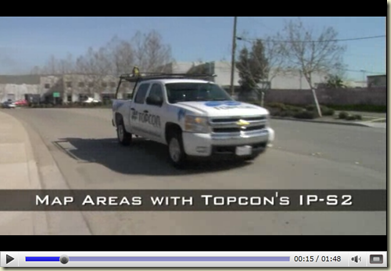
IP-S2 Topcon has a unique new solution for GIS data collection with their new 3D Mobile Mapping solution, the IP-S2. This new system incorporates 360 degree panoramic images with point cloud data. This application allows the user to collect data from within the spherical view of the image while snapping to the precise point cloud data captured from the scanner.
GeoTools 2 
Data collected in the form of shapefiles can be imported into your ArcGIS database. Shapefiles can also be imported into the Topcon software to view within the image and scan data to validate existing locations.  
IP-S2 features:
  • High definition mobile 3D mapping
  • Dual frequency GNSS tracking
  • High Accuracy 6-Axis IMU Integration
  • Odometry inputs from on-board vehicle CAN bus or wheel encoders
  • Supports multiple laser scanner models for operator and application flexibility
GeoTools 6
IP-S2 Applications
  • Roadway Management
    • Paved Surface Inspection
    • Roadside Feature Inventory
    • Photo Logs
  • Linear Infrastructure
    • Pipeline Inspection
    • Railway Survey
    • Utility Corridor Mapping
  • Disaster Planning and Response
  • Homeland Security
  • 3D Street-view city mapping
GeoTools 7
IP-S2 System features
A web-based processing service with desktop PC interface is included as part of the IP-S2 system. Vehicle position and sensor output are integrated seamlessly into one continuous three-dimensional data stream that can be exported as industry-standard formats. GNSS data can be post processed for higher accuracy. The desktop software also includes a viewer enabling the user to review point clouds generated from LiDAR scanners and make linear measurements.
The IP-S2 provides fast, high accuracy data and dynamic imaging for any linear mapping project. The vehicle-mounted system can map data at normal travel speeds for roadway surface condition assessments and roadside feature inventories. Safety is increased by removing pedestrians from the travelled lanes. Other applications include pipelines, railways, utility corridors, and waterways. Homeland security and disaster management are critically important to our health, safety and welfare. The IP-S2 is perfect for 3D street-view city mapping and provides essential information for these applications
image
Integrated Positioning System
Topcon’s IP-S2 Mobile Mapping System overcomes the challenges of mapping linear features to a high level of accuracy. Accurate vehicle positions are obtained using three redundant technologies: a dual frequency GNSS receiver establishes a geospatial position; an Inertial Measurement Unit (IMU) tracks vehicle posse; and connection to the vehicle CAN bus or external wheel encoders obtains odometry information. These three technologies work together to sustain a highly accurate 3D position for the vehicle even in locations where satellite signals can be blocked by obstructions such as buildings, bridges, or tree lines.
More information

Wednesday, August 5, 2009

Using Scan Data to Model a Cell Tower in SketchUp

Below are a few examples of a cell tower project completed with the Topcon GLS-1000, Topcon ScanMaster, and Google SketchUp.


Four scans were captured. The scanner was positioned on one of two control points using occupation/backsight procedures.
The control point coordinates were obtained with GPS so that the final model could be georeferenced once completed.
High resolution scans of the tower were capture for detail while the surrounding building was scanned at a lower resolution for general dimensions.

The scans were registered and post processed in ScanMaster. Different views were created of the tower to break it down into segments for measurement.

Measurements from the scan data was used with Google Sketchup to build the 3D model.

GPS coordinates for the control points were used to reference the model for import to Google Earth.